

Rate plans: how they work
This content is not available in your language yet.
| Why | Understand how the rate system works before you start setting prices. |
| Who | Hotel administrators and owners — no IT background required. |
| What you’ll get | You can read the rate plan tree and inheritance, know what the meal types (RO, BB, HB, FB, AI) stand for, and understand occupancy variants. |
| Limitations | This is an overview, not a step-by-step guide — changing prices is covered in the other article of this section. |
A rate plan is the set of rules for selling a room: the price, meals, cancellation terms, and restrictions. Rate plans also decide what guests see in the booking engine on your website — so it pays to understand how they work before you set any prices.
The rate plan tree
Section titled “The rate plan tree”Rate plans form a tree. Some rate plans carry their own prices; child rate plans inherit prices and restrictions from a parent. Change something on the parent — raise a price or close arrivals — and the change cascades down to the children. Each child adds its own price modifiers on top, for example “a set percentage below the parent”. And if a child needs prices of its own entirely, you can break the inheritance chain.
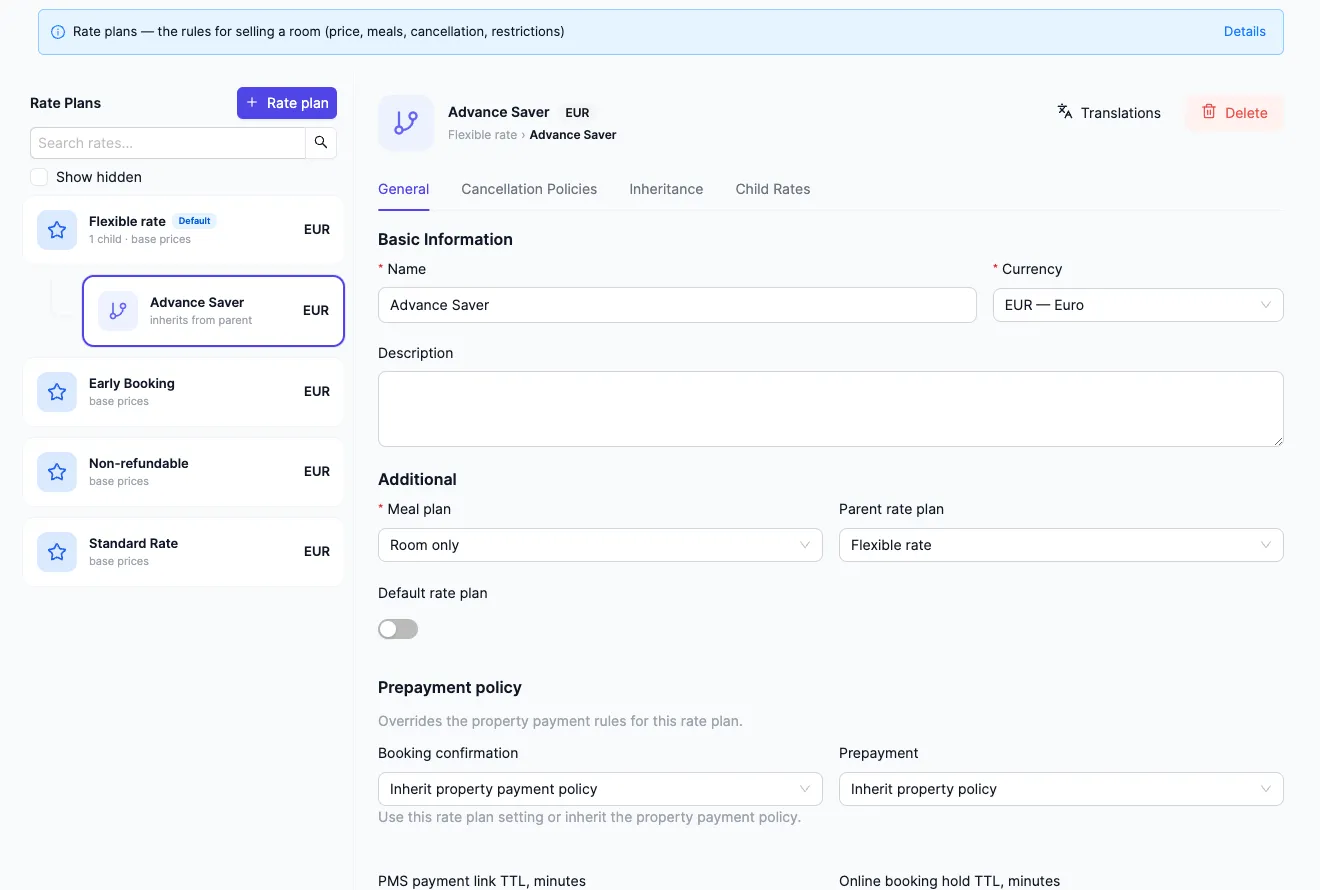
The screenshot shows the rate list: the parent Flexible rate (“1 child · base prices”) and its child Advance Saver (“inherits from the parent”); the child rate’s card is open on the right. How inheritance is set up — in Rate plan inheritance.
A rate plan does not apply to the whole property at once: it is tied to room categories, and the nightly price is calculated for the combination of rate plan, category, and date. Each rate plan also carries its own meal plan and cancellation policy.
Meal plans
Section titled “Meal plans”Every rate plan includes a meal plan. The built-in types spell out what is included — here is what the abbreviations mean:
- RO (room only) — accommodation only, no meals.
- BB (bed & breakfast) — accommodation with breakfast.
- HB (half board) — breakfast plus one more meal, usually dinner.
- FB (full board) — breakfast, lunch, and dinner.
- AI (all inclusive) — everything included.
Meal prices are set separately from the room price — by period, room category, and guest age.
Occupancy variants
Section titled “Occupancy variants”The same room can be sold for different party sizes: “2 adults”, “2 adults + 1 child”, and so on. These combinations are called occupancy variants. Each room type has a base variant priced at the base rate; the others add a surcharge or a discount.
Next to the variants is the “INDEPENDENT PRODUCTS” block: Early check-in and Late check-out. These are separate items with a price of their own, not a surcharge on a variant: a guest who checks in earlier than the usual time — or checks out later — pays for it separately. They are set up in the same “Occupancy variants” tab of the room type.
Don’t confuse a rate with your subscription
Section titled “Don’t confuse a rate with your subscription”A rate is about the room price: the rules under which the hotel sells rooms to guests. A subscription plan is about paying for the HotelsCalendar service itself: one subscription already includes PMS, Booking Engine, Guest Portal, and Channel Manager, and it is billed by units — rooms, beds, or apartments. These are two different things: rate settings do not change your subscription, and the subscription plan does not set guest prices.
See also
Section titled “See also”- Change prices: one date or in bulk — spot and bulk edits of the prices for the rate plans covered here.
- Booking Engine — how to embed the booking widget: this is exactly what guests will see, meal types included.